SQ Series
First Unboxing! Don't Buy a Light Until You See the SQ Series
WEEKLY LIGHTNING DEAL · 35% off the Non-BPM Splash X. Ends Tuesday 11:59 PM. Shop This Week's Deal →
New: SQ Series
Our newest uplights add Warm White and Lime chipsets for true-to-life color, work with the BLX Pro and legacy wireless DMX, and ship with a magnetic frost filter. Start with these walkthroughs.
We're not just here to sell you fixtures. Learn DMX, wireless DMX, and how to build a rig that pays for itself — from the same material we teach at DJ conferences. Free, no signup.
Every tutorial, guide, and deck we have, in one place. Search it or filter by track.
Almost everything else on this page assumes you know this much. It takes about four minutes.
DMX512 — "Digital Multiplex" — is just a language your controller uses to talk to your lights over a single cable. One cable run is called a universe, and a universe carries 512 channels.
Think of it as 512 numbered dimmer knobs travelling down one wire. Each fixture listens to the handful of knobs you assign it.
This trips up everyone. The address is where a fixture starts listening — a number from 1 to 512 that you set on the fixture itself. The channels are what it does with the numbers that follow.
Each channel carries a value from 0 to 255. So a fixture in a 4-channel mode addressed at 1 uses channels 1–4; the next one goes at 5, not 2.
Sound active means the fixture picks its own colors off the music. It's free and it's instant — and you have no say in what it does. It will flash red during the first dance.
DMX means you decide. That control is the difference between "some lights" and a custom experience — and it's the difference clients pay for.
A 3-pin DMX cable and a 3-pin mic cable look identical, and in a pinch a mic cable often works. It isn't built for data, so it's the first thing to suspect when a fixture flickers or drops out.
You'll also see 5-pin DMX (pins 4 and 5 usually unused) and RDM, which lets a controller talk back to a fixture instead of only shouting at it.
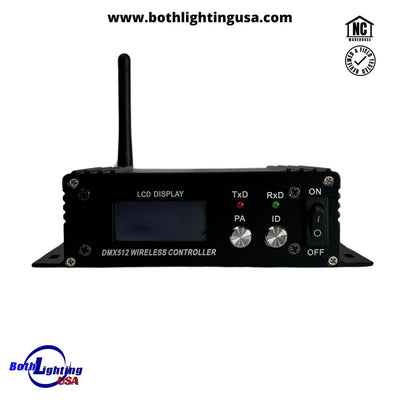
Wireless DMX sends that same signal over 2.4 GHz, so no cable crosses your dance floor. A transmitter plugs into your controller; a receiver sits in (or on) each fixture.
Worth knowing: all CRMX is wireless DMX, but not all wireless DMX is CRMX. Mixing brands is where most range and drop-out complaints come from.
Control is the hinge. Uplights get you booked; control is what lets you sell a custom look instead of a rental. Clients never ask for DMX — they pay for the result it makes possible.
And if you'd rather not learn programming at all, that's a solved problem — see below.
Start simple, scale up, charge more. This is the build order we teach on stage — every rung pays for the next one, so you never buy gear you can't bill for.
The most requested add-on there is, and the easiest money you'll ever make. Your entry into real profit.
Control = customization = a higher price. Clients don't ask for DMX; they pay for a custom experience.
This is where you separate yourself from every other DJ bidding on the job.
The gear clients photograph and post. This is what gets you referrals.
Cold sparks, dancing on clouds, CO2. Sell them as exclusive moments, not as equipment.
The full decks we present at DJ conferences — the same slides, free to page through.
The latest version, built around the money ladder, modern battery and CRMX gear, and packaging your add-ons.
Open the deck 22 slides · software sessionOur DJ's Assemble session on SoundSwitch: fixtures, attribute cues, visualizers, and running it live.
Open the deckYou still have to understand DMX — but you don't have to program a single cue. Our pre-programmed project files drop straight into SoundSwitch and run your show.
Take the two-minute rig finder, or just call us — we'd rather talk you into the right gear than sell you the wrong thing.